Wedding Project
(Photoshop)
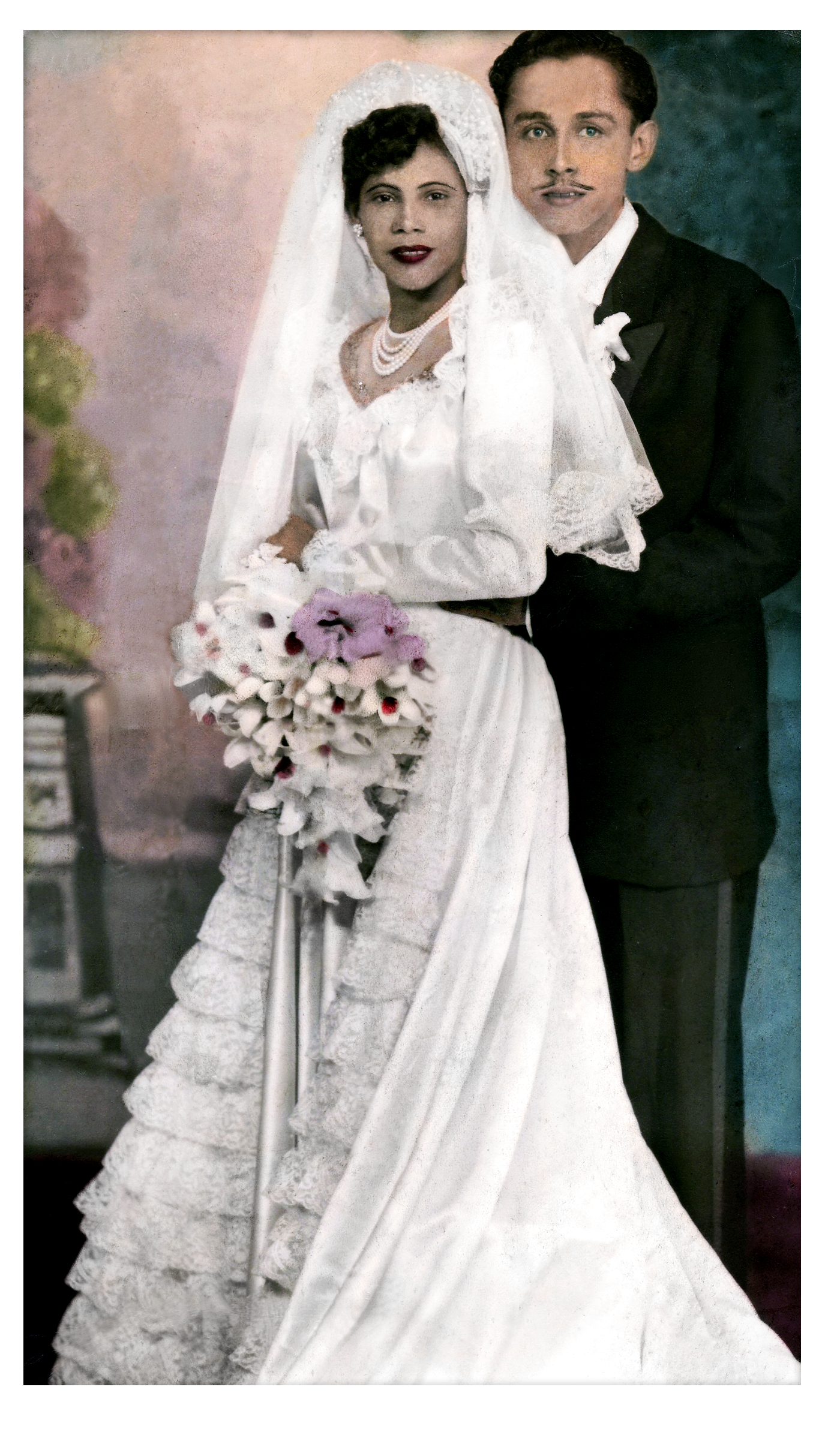
One of the many Photoshop projects I completed through the Digital Design Graphics Technology (DDGT) program was the restoration of this vintage wedding photo (provided by the DDGT program). This project helped me learn new Photoshop tools such as filters, generative fill (AI), clone stamp, and the healing brush to remove imperfections, scratches, and stains.
After the initial corrections were made, I applied adjustment layers such as Levels, Hue/Saturation, Brightness, Color Balance, warming filters, and a black-and-white adjustment to help restore a clean, vibrant white to the bride’s dress and the groom’s collar. Next, a Dodge and Burn adjustment was used to lighten and darken specific areas, improving contrast and bringing out facial features more clearly. Finally, I cropped the photo to create a clean border around the image and added a framing effect to resemble the original presentation style.
Feel free to hover over the image to see the before-and-after effects, or click on the image to view it in full size. Feel free to click on the images for a better view.